Guide · updated 16 November 2026
How to track Hyrox training on Apple Watch
Pick a Workout type for each session — Outdoor Run or Indoor Run for the kilometres, Functional Strength Training or Traditional Strength Training for stations and gym work, HIIT for mixed circuits. For a run-then-stations session, start the first type, swipe right, tap New, and choose the next. Indoors, use Indoor Run so the watch is not relying on GPS, and pace those reps by lap time.
Hyrox training is a week of runs, stations and lifts. Plan that week, record each day with the mapping below, then review planned next to actual on iPhone.
Jamie Firth, Hyrox and triathlon. This is tracking advice for training weeks, not a race-day split guide or medical advice.
Which workout type for which Hyrox session
There is no Hyrox workout on Apple Watch. Apple’s Workout types list is the source. Pick the type that matches the session, then keep that mapping so weeks stay comparable. There is no DEKA workout type either — see how to plan a DEKA training week for a mapping we have not verified as “best”. There is no ATHX workout type — see how to plan an ATHX training week for the same unverified mapping.
| Session | Workout type | Why |
|---|---|---|
| Easy or long run outside | Outdoor Run | GPS for distance and route; the usual aerobic day |
| Treadmill or indoor 1 km repeats | Indoor Run | Apple’s match for indoor running; the watch is not using GPS |
| Station or movement day | Functional Strength Training | Sled, carry, wall-ball and similar work you choose |
| Gym lift (squat, press, pull) | Traditional Strength Training | A strength session that is not a Hyrox circuit |
| Compromised running or mixed circuits | HIIT, or chain Run + Functional Strength | One type for a short blast; two types when the run and the stations both matter |
| Rowing | Indoor Rowing | A rower in the gym or a rowing piece in a mixed session |
If a type is missing on your watch, scroll to the bottom and add it. For a treadmill, Apple’s match is Indoor Run, not Outdoor Run hunting for GPS.
Chaining run and station work in one session
For a brick — 1 km, then stations, then 1 km — do not look for a Hyrox Multisport. Apple describes combining activities like this:
- Open Workout and start the first type, usually Outdoor Run or Indoor Run.
- When you reach the station, swipe right, tap New, and pick Functional Strength Training.
- When you go back to the run, swipe right, tap New, and pick Run again.
- When you are finished, swipe right, tap End, then End Workout.
That is Apple’s method for mixing activities that are not a triathlon. Multisport is described for running, cycling and swimming legs, not for a run paired with station work. For Hyrox-style bricks, use New. How the watch then writes the session to Health can differ by watchOS — sometimes as more than one workout, sometimes as one — so do not assume Fitness will always split the brick. For where that brick sits in a week that already has lifting and clean runs, see compromised running for Hyrox. Two separate sessions on one calendar day — a lift and a run, each with its own Watch or Crave log — are a double day, not a brick: see whether to run or lift first. If the station day is sled work without a run, see where sled push and pull sit in a lifting week. If it is wall balls, see where wall balls sit next to squat days and hard runs. If it is burpee broad jumps, see where burpee broad jumps sit next to heavy pressing. If it is farmers carry, see where farmers carry sits next to deadlift day. If it is sandbag lunges, see where sandbag lunges sit next to a squat day. There is no Deadly Dozen workout type either — see how to plan a Deadly Dozen training week for a mapping we have not verified as “best”.
Marking segments for each run and station
Apple’s Workout app can split one session into segments. Adjust Apple Watch during a workout says: double-tap the display to mark a segment; the watch briefly shows that segment’s stats. On Apple Watch Ultra models, if the Action button is set to Workout, press it to mark a segment. After the workout, open the Fitness app on iPhone, tap Sessions, tap the workout, then scroll down for segment stats.
You can also swipe right and tap Segment — Apple lists that under the workout controls in Start a workout on Apple Watch. For a Hyrox simulation, mark one segment per run and per station so the Fitness summary keeps those pieces apart.
Indoor runs: GPS off, pace by lap time
For treadmill kilometres or indoor 1 km repeats, start Indoor Run. Apple’s measurement guide says to choose Indoor Run on a treadmill. That type does not use GPS. Pace the reps by lap time, not by a GPS pace you do not have.
Mark each kilometre with a double-tap, or swipe right and tap Segment. On Ultra, the Action button can mark a segment if it is set to Workout — see Run with Apple Watch. The watch may or may not store a distance; use the clock for the repeat.
Heart rate during sled, carries and wall balls
Wrist heart rate is less reliable when you are gripping a sled, a sandbag or a wall-ball. Apple’s measurement guide notes that irregular movement gives a weaker reading than rhythmic running or cycling, and that a loose watch or cold skin can drop the signal. Tighten the band for station work. If the trace still jumps, pair a Bluetooth chest strap and start the workout as usual.
Seeing the whole week, not single workouts
Hyrox training is a week: an easy run, a station day, a gym lift, a longer run, and rest. Write the week first, then record each day with the mapping above. For the shape of that week, see the Hyrox training plan with lifting. Racing your first Hyrox? See the 8-week build for lifters. Only have 3 or 4 days? See Hyrox training on 3 or 4 days a week when you also lift. The same idea without the functional day is in how to plan a hybrid lifting and running week.
How Crave holds this
Crave is a free iPhone app. You set your own repeating week — lifts, runs, Hyrox-style or functional sessions, and rest. Apple Watch workouts arrive through Apple Health so you can see planned next to actual, and you log gym sets in the app. There is no Crave Watch app; record on the watch with Apple’s Workout app. There is no Garmin or Strava sync. If you would rather have a paid AI coach write the week instead of recording a week you wrote, see Crave vs HYBRD. Which free app to plan this in? See best free hybrid training apps for iPhone (2026).
Plan the hybrid week on iPhone
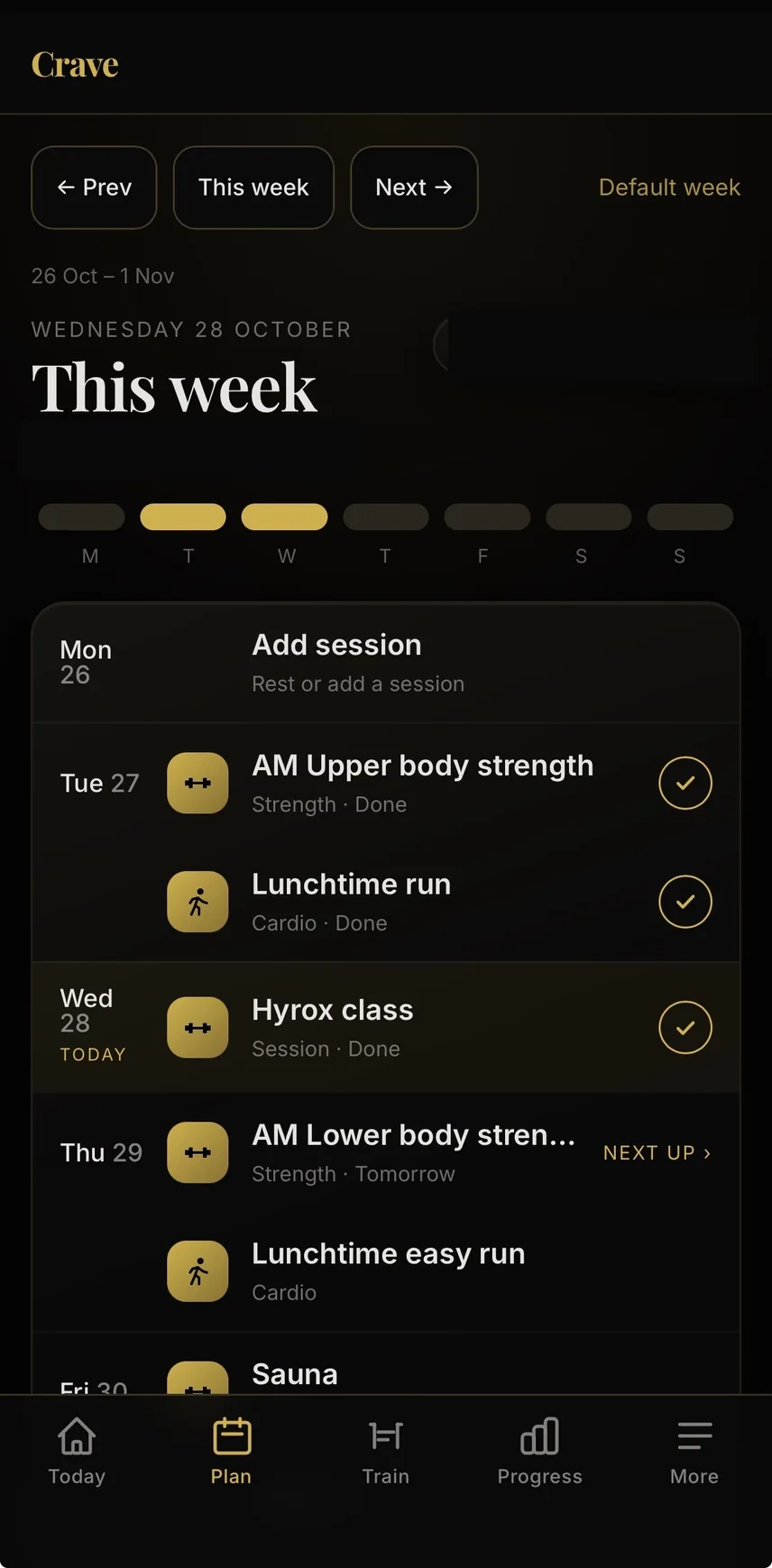
Write the week on Plan. Strength, a lunchtime run and a Hyrox class can sit on the same repeating week; completed sessions show Done. You still choose the days. There is no built-in 3-day or 4-day Hyrox template. For week shape, see the Hyrox training plan with lifting or Hyrox training on 3 or 4 days a week when you also lift. If a Watch session never lands, see what to do when you miss a session.
Record on Apple Watch; land in Apple Health
Record in Apple’s Workout app with the mapping above. Crave reads every Apple Health workout type; none are ignored. Functional Strength, Traditional Strength and HIIT keep those names, and all three count as strength when they are matched to a planned session. Indoor Run is stored as Run — the same as Outdoor Run — and matches a run session. Indoor Rowing is stored as Rowing and only matches a plan with “rowing” in its name. Crave does not keep an indoor/outdoor split.
For an indoor run it shows the distance, time and average pace the watch recorded — no route map, and no per-km splits or pace charts, which need GPS. If the watch recorded no distance, Crave shows time only.
Log gym work in Crave
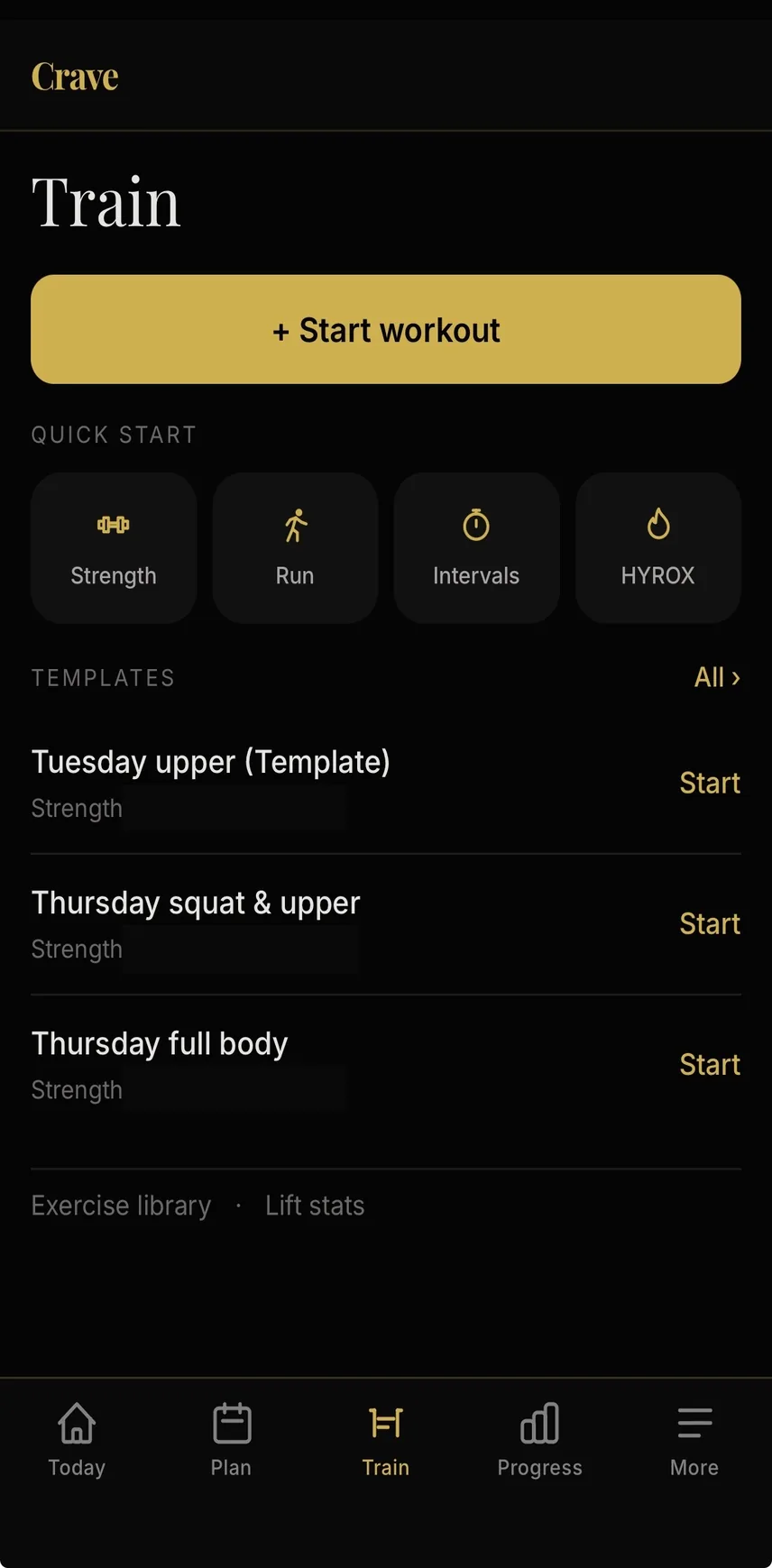
Log sets in the app. Train has Strength, Run, Intervals and Hyrox starts, plus templates you have saved. Watch endurance and station work still come from Health.
See planned next to actual
On Plan, Done is the actual against the week you wrote. Each separate workout the watch saves to Health appears in Crave as its own workout, and each one can tick a different planned session: a run part can match a run, a HIIT part can match a strength day. Crave does not split a combined session into segments, and it does not promise that swipe-right New will always arrive as two workouts.
The matching steps sit on how it works. The homepage Apple Watch FAQ is the short version: Health only, no Watch app.
Related guides
- Hyrox training plan with lifting
- First Hyrox in 8 weeks: a beginner plan for lifters
- Hyrox training 3 or 4 days a week when you also lift
- Compromised running for Hyrox
- Sled push and pull for Hyrox
- Wall balls for Hyrox
- Burpee broad jumps for Hyrox
- Run or lift first? Double days in a hybrid week
- Hyrox race week: how to taper when you also lift
- Training load for lifting and running
- How to plan a hybrid lifting and running week
- Missed a session? How to fix your lifting and running week
- Strength training for triathletes
- Farmers carry for Hyrox
- Sandbag lunges for Hyrox
- DEKA training week: FIT, MILE and STRONG
- Deadly Dozen training week
- ATHX training week: strength, engine and MetCon X
- Crave vs HYBRD
- How Crave matches Watch workouts to the week
- Crave Fitness home (Apple Watch FAQ)
- All guides
Questions
Is there a Hyrox workout type on Apple Watch?
No. Apple’s Workout types list has none. Use Outdoor Run or Indoor Run for the kilometres, Functional Strength Training or Traditional Strength Training for stations and gym work, HIIT for mixed circuits, or chain a run and a strength type with New.
Should I use HIIT or Functional Strength Training for Hyrox?
Use Functional Strength Training for a station or movement day, Traditional Strength Training for a gym lift, and HIIT for a short mixed circuit. For compromised running, chain a Run with Functional Strength rather than forcing one type to cover both.
Can I track a full Hyrox simulation on Apple Watch without an app?
Yes. Start a Run, swipe right, tap New, and pick Functional Strength for the stations — or record the whole simulation as one Functional Strength workout and mark segments as you change station.
Should I turn GPS off for indoor Hyrox runs?
Yes. Use Indoor Run so the watch is not relying on GPS. Pace 1 km reps by lap time, and mark each rep as a segment.
Do I need a Hyrox-specific Watch app?
Not for training weeks. Apple’s Workout app can record the run, the stations and the gym day. Station-by-station race apps exist if you want that extra layer; you do not need one to keep a weekly training record.
Does Crave work with Apple Watch?
Through Apple Health, with no Crave Watch app. Record in Apple’s Workout app; Crave reads those workouts so you can see planned next to actual. See the Apple Watch question on the homepage.
Can Crave show my Hyrox week planned next to what I actually did?
Yes. You set the repeating week on iPhone. Completed sessions show Done on Plan. Apple Watch workouts arrive through Apple Health and can tick a planned session when the types line up. Crave does not split a combined Watch session into segments, and swipe-right New may arrive as one Health workout or several. See how it works.
Can I track Hyrox on Apple Watch without a Garmin?
Yes. Apple’s Workout app covers the runs and the stations — Outdoor Run or Indoor Run for the kilometres, Functional Strength Training or Traditional Strength Training for stations and gym work, HIIT for mixed circuits. Crave reads those workouts from Apple Health and compares them with the week you planned. Crave has no Garmin sync.
How do I split a Hyrox workout into runs and stations on Apple Watch?
Double-tap the display to mark a segment. You can also swipe right and tap Segment. On Ultra, press the Action button if it is set to Workout. After the workout, review segments in the Fitness app on iPhone: Sessions, then the workout.